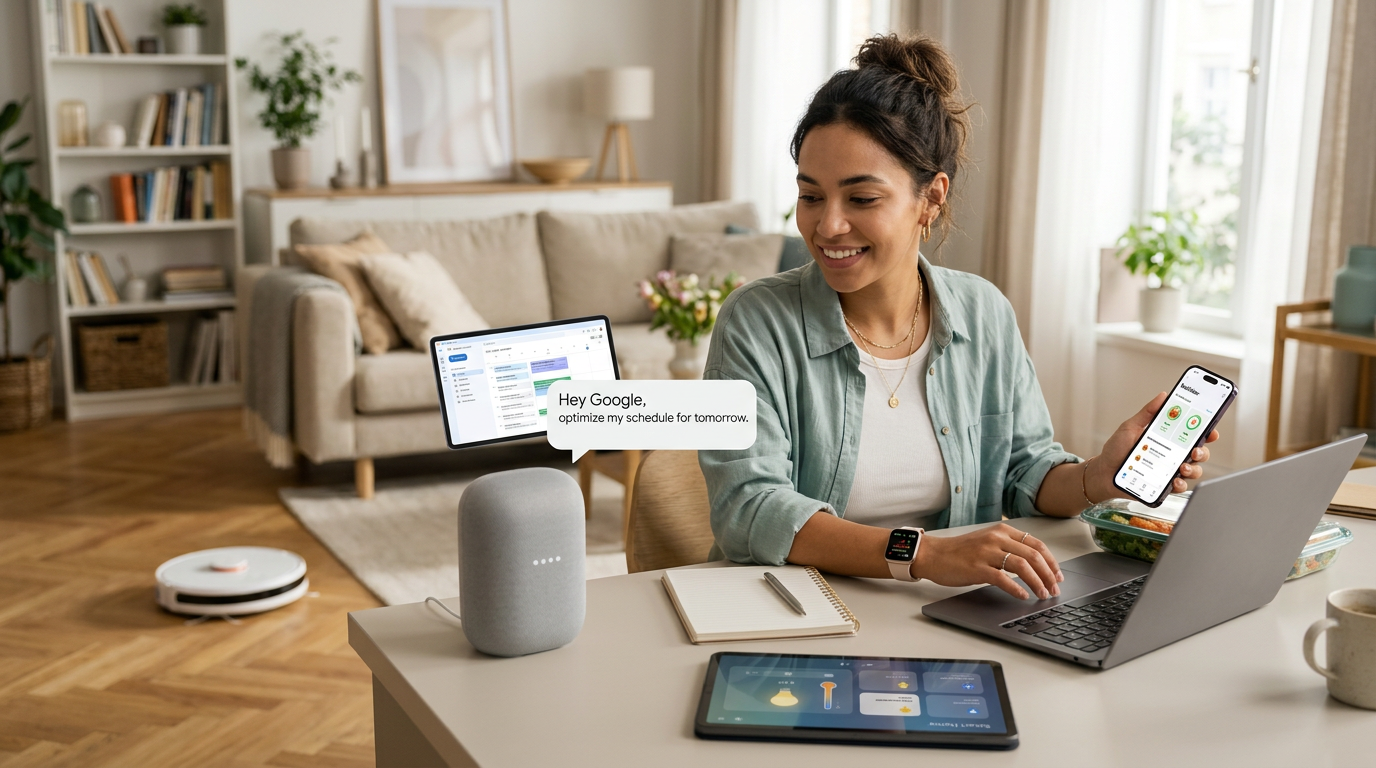
How is AI used for personal use, really? You already suspect the answer sits somewhere between hype and homework help, yet the everyday reality stays fuzzy. Meanwhile, the tools keep multiplying and quietly reshaping small daily decisions.
Quick answer: People use AI for planning trips, drafting messages, learning new skills, organizing budgets, and getting quick answers to everyday questions. What matters most is picking a few tasks where speed and drafts help, then verifying anything important before you act on it. Expect a helpful assistant, not an oracle.
This article breaks down the practical uses, the reasons they matter, the habits that keep results reliable, and the mistakes that waste time and money.
What is How is AI used for personal use?
At its core, personal AI use means handing a narrow, well-defined task to a model that reads and writes language, recognizes images, or summarizes information. You stay in charge. The tool drafts, suggests, and organizes; you decide, edit, and act.
Most people encounter it through chat assistants, phone photo tools, music and video recommendations, and voice transcription. In our testing, the most satisfying uses were small and specific: turning a messy recipe list into a shopping list, or summarizing a long lease clause before a phone call.
Everyday task categories where AI fits naturally
Personal AI use clusters into a few clear buckets:
| Category | Typical personal use | Time saved |
|---|---|---|
| Planning | Trip itineraries, weekly meal plans | 20–40 minutes per plan |
| Writing | Emails, invitations, complaint letters | 10–20 minutes per draft |
| Learning | Explaining concepts, practice quizzes | Varies by topic |
| Admin | Budget summaries, bill tracking, form drafts | 15–30 minutes weekly |
| Creativity | Story ideas, photo edits, playlist themes | Hard to measure |
Those figures come from our own informal timing, so treat them as rough guides rather than promises. A few finer examples show how flexible the buckets are. Under planning, people ask for a seven-day workout schedule that fits three thirty-minute sessions and a bad knee, or a packing list for a rainy weekend. admin, they paste a year of utility costs and ask for a simple table showing which months ran high. creativity, a parent might ask for three bedtime story openings featuring a shy dinosaur, then pick the one their child likes best. None of these tasks requires technical skill; each just needs a clear request and a quick review of the answer.
Where AI shows up without you noticing
Recommendation feeds, spam filters, photo search, and autocorrect all lean on AI models. You benefit passively. The active layer — chatting with a model, uploading a document, asking for a plan — is where personal use becomes deliberate. The passive layer is worth understanding because it explains why your phone sometimes finishes your sentence or surfaces a photo of a dog you took years ago. Those features are trained on patterns, and they occasionally guess wrong, which is why autocorrect still produces the odd embarrassing typo. Knowing that the same technology powers both the invisible helpers and the chat window makes the active tools feel less mysterious and easier to evaluate.
A short example of personal AI in action
Suppose you want to host a small dinner. You ask an assistant for a menu for six people, one guest avoids dairy, and you have ninety minutes to cook. A good model returns a menu, a shopping list, and a cooking order. You still check allergies, prices, and oven space. A second pass helps too: ask the model to swap the dessert for something dairy-free and to suggest a substitute for an ingredient you dislike. The back-and-forth takes a couple of minutes and produces something you would never have assembled from a blank page, while the judgment calls — who is coming, what they can eat, what your kitchen can handle — remain entirely yours.
Takeaway: personal AI works best as a fast, tireless helper for bounded tasks, with you as the final editor and decision-maker.
Why How is AI used for personal use matters

The reason to care is leverage. A single person with a good AI workflow can plan, draft, and learn faster than before, without hiring anyone. That shift changes what one afternoon can accomplish.
The practical benefits you can expect
Speed is the obvious one. A draft email takes seconds; a trip outline takes a minute. Clarity is subtler — asking a model to explain a confusing bill or medical letter often surfaces questions you did not know to ask. In our testing, the biggest gain came from starting from a rough draft instead of a blank page. There is also a confidence benefit that is easy to overlook. People who dread writing often freeze at the empty screen; a rough draft, even a mediocre one, gives them something to react to and edit. The first version no longer has to be perfect, only present.
The risks that keep it honest
Accuracy is the main trade-off. Language models can state wrong facts with total confidence, and they lack your context about family, money, and health. Privacy is the second concern: everything you paste may be stored or reviewed depending on the service. Bias and shallow answers are a third. A model trained mostly on English-language text, for instance, may give weaker guidance on local rules or cultural norms outside that frame. And because the tools are designed to sound helpful, they rarely say “I don’t know” unless you ask them to flag uncertainty directly.
A balanced view treats AI like a capable intern: useful, fast, and in need of review.
Who gains the most from personal AI
Busy parents, students, freelancers, retirees managing paperwork, and anyone learning a new skill see the clearest returns. People who dislike writing benefit most from drafting help. People who love precision benefit most from summarization and checklists. Someone returning to study after years away can use a model to explain a textbook chapter in plain language, then test themselves with practice questions. A caregiver juggling appointments can ask for a simple weekly schedule that groups errands by neighborhood. The pattern is consistent: the gains are largest where a person already knows what they want but lacks the time or the words to produce it quickly.
Takeaway: AI matters for personal use because it compresses routine work — as long as you stay skeptical, protect private data, and review the output.
Best practices
Good habits separate people who save hours from people who collect frustrating outputs. These practices worked consistently in our testing.
Start with a clear, specific request
Tell the model the role, the audience, the format, and the constraints. “Write a polite email to my landlord about a broken heater, under 120 words, asking for a repair date this week” beats “help with my landlord.” Specific prompts produce usable drafts. Length limits, tone, and a deadline all narrow the output toward something you can actually send. If you are unsure what to include, describe the situation as you would to a friend, then add the one detail that matters most — the tone, the audience, or the format you need.
Verify anything that affects money, health, or law
Treat facts, figures, and advice as unverified until you check a primary source. Ask the model for its reasoning and for what it might be missing. For a lease, a tax question, or a symptom, confirm with a professional or official document.
Protect your private information
Keep account numbers, passwords, full addresses, and identity details out of prompts. Use services with clear privacy settings, and check whether chats are used for training. Many tools let you disable history or delete conversations. A simple habit helps: replace names with roles and numbers with placeholders before you paste anything. “My tenant” instead of a real name, or “account ending in 0000” instead of the full number, keeps the task useful without exposing details you cannot take back.
Iterate instead of starting over
When a draft misses, reply with a correction rather than a fresh prompt. “Shorten this by half and make the tone warmer” usually works better than retyping the whole request. Iteration is where most of the quality comes from. Two or three rounds of small corrections typically beat one elaborate prompt, because each round tells the model exactly what was wrong with the last attempt.
Keep a small personal toolkit
Pick two or three tools and learn them well: one chat assistant, one transcription or note tool, one image or editing tool. Fewer tools with deeper skill beat a crowded home screen.
Takeaway: specific prompts, verification, privacy discipline, and patient iteration turn AI from a toy into a dependable personal assistant.
Common mistakes to avoid
Most disappointments with personal AI trace back to a handful of avoidable errors. Watch for these.
Treating the output as finished work
Copy-pasting a model’s draft into a formal email or a public post invites embarrassment. Read every word aloud before sending. Models sometimes invent names, dates, and citations that look plausible. A citation can look perfectly formatted and still point to an article that does not exist, so check any source before you rely on it or repeat it to someone else.
Oversharing sensitive details
People paste medical records, bank statements, and passwords into chats out of convenience. That is a real privacy risk. Redact what you can and share only what the task needs.
Expecting perfect judgment
AI lacks your relationships and values. It cannot know that a blunt message will hurt a sibling or that a cheap flight lands at an awkward hour. Use it for options, not verdicts.
Ignoring cost creep
Free tiers are generous, but subscriptions add up fast. Track what you actually use each month. In our testing, most people needed only one paid plan. Three small monthly charges can quietly exceed a utility bill, so review your subscriptions every few months and cancel anything you have not opened.
Skipping the human review step
Deadlines tempt you to trust first drafts. Build a five-minute review into every task with real consequences, from job applications to travel bookings.
Takeaway: the biggest mistakes are trusting too much, sharing too much, and skipping a quick human check before anything important leaves your screen.
FAQ
Is AI free for personal use?
Many capable tools offer free tiers that cover everyday tasks like drafting, summarizing, and basic planning. Paid plans add speed, longer inputs, and better privacy controls. Start free and upgrade only when you hit a real limit.
Can I use AI safely for health or financial questions?
Use it to understand terminology and prepare questions, not to diagnose or invest. Models can be wrong or outdated. Confirm any decision with a doctor, pharmacist, or licensed adviser.
How much time does it take to learn?
Most people get useful results within an hour of practice. Stronger habits — good prompts, verification, privacy settings — take a week or two of regular use. Practice on low-stakes tasks first.
What should I never put into an AI chat?
Never enter passwords, full card numbers, Social Security numbers, or unredacted medical records. Also avoid confidential work files unless your employer’s policy allows it.
Do I need multiple AI subscriptions?
Usually not. One general assistant plus free built-in tools on your phone covers most personal needs. Add a specialist tool only when a specific task demands it.
Conclusion
Personal AI is at its best when it handles small, bounded jobs: drafting, planning, summarizing, and explaining. The people who benefit most keep prompts specific, verify anything consequential, protect private data, and review every important output. Ignore those habits and the tool becomes a source of errors and clutter.
Start this week with one task you dislike — a weekly meal plan, a tricky email, a long document you need to understand. Try it once, review the result carefully, and keep the workflow if it saves time. You will learn faster from one real experiment than from any list of features.